
Pajero II Workshop Manual 1991 · Наружное оборудование кузова · страница 28 из 53 · Открыть оригинал PDF ↗
Текст распознан со скана. Числа и обозначения можно сверить с оригиналом ниже.
<Vehicles built from November, 1993
With SRS>
<Vehicles built from November, 1993With SRS>
(1)Remove the column cover lower,
(2) Remove the column cover upper
(3)Loosen the screws indicated by arrows in the illustration,
and then remove the rear wiper and washer switches
(4) Operatethe switch,andcheckthe continuity between
the terminals
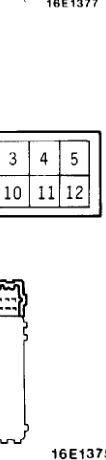
Таблица в оригинале

Распознанный текст таблицы — требует сверки с оригиналом
| Termina | |
|---|---|
| Switch position | |
| OFF | |
| Wiper switch | INT |
| ON | |
| Washer switch | ON |
NOTE
indicatesthatthereis continuity betweentheter-
minals .
WIPER MOTOR
Check thewipermotor after first disconnecting the wiring
harness connector,andwith thewipermotor remainingIn-
stalled to the body:
Operation of Wiper Motor
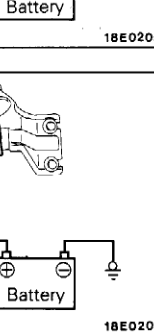
Connectbatteryto thewipermotorasshown in the
lustration and inspect the motor operation:
Operation of Wiper Motor at Stop Position
(1) Runthewipermotor,disconnect the battery,and stop
the motor.
(2) Reconnect the batteryasshown in the illustration, ad
confirm that after themotor starts turning;it stops as
the automatic stop position.
Оригинальная страница руководства
